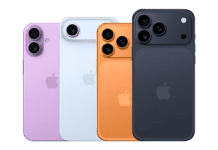
Apple has recently rolled out the first public beta of iOS 18, giving eager users an early chance to experience what the next iteration of its mobile operating system has in store. Within a few weeks of unveiling iOS 18 at its annual Worldwide Developers Conference, the public beta version is now available for over 20 iPhone models.
In addition to testing out newiOS 18capabilities, public beta testers help Apple identify bugs and issues before the official release later this year. While not as stable as the final versions ultimately launched to all users, the public beta offers a stable enough experience for those comfortable with potential hiccups.
Joining the public beta program is simple. Head to beta.apple.com on your iPhone and sign up using your Apple ID. Then, go to Settings > General > Software Update and download the iOS 18 Public Beta update. Alternatively, download the configuration profile from the website if on an older iOS 16 version. Once installed, you’ll receive beta updates like any other.
Some highlights of what’s new in iOS 18 include improved widgets, editing and undo send functions in Messages, customizable Lock Screen experiences and more granular permissions for apps accessing photos, files and other data. You’ll also be able to pair additional audio devices to your iPhone without needing an Apple TV or HomePod.
While the public beta provides early access, it’s still recommended only for non-primary devices given the possibility of occasional bugs or instability. Make sure to back up your iPhone first using iCloud or Finder just in case issues arise requiring a rollback.
With its initial public beta now launched, iOS 18 is shaping up to be one of Apple’s biggest updates yet. Join the beta program today to get hands-on with its new capabilities before the official fall release for iPhone.